Senior Activation Table
Interactive table for elderly care facilities
Add an interactive table solution to your portfolio – no in-house software development required. We provide ready-to-deploy apps, technical support and marketing assets, so you can deliver a complete, branded solution to your customers.
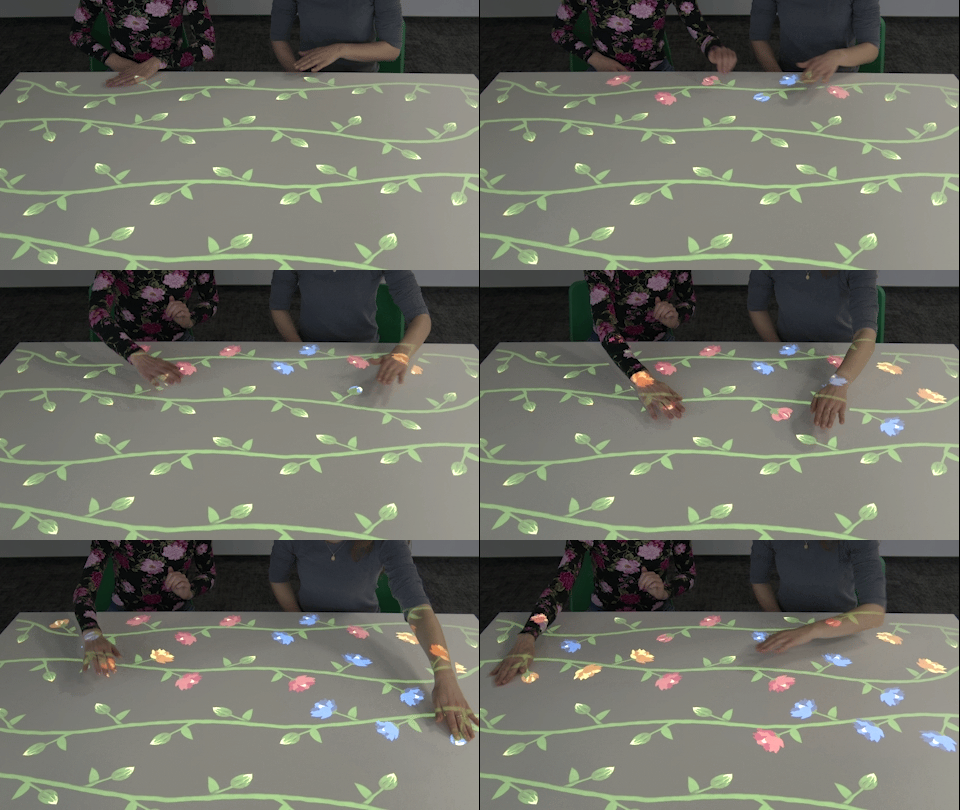
Apps displayed on the table
Designed for interactive projection devices
Response to hand movements
A free, intuitive way to play
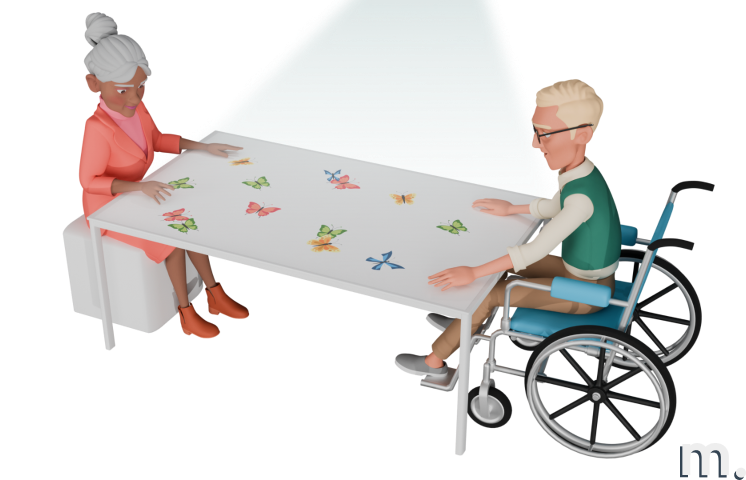
Together at the table
Cooperation, entertainment, conversation
32 stimulating games
Sensory, word-driven and memory activities
How we work together
We deliver interactive software and ready-to-deploy applications for your devices. You integrate the hardware, install the system on site and sell the final solution to your customers.
Deployment Location
Nursing homes, assisted living facilities, therapy centers, hospitals, senior activity centers.
Target User Group
Older adults requiring physical, cognitive or social activation, including people living with dementia or Alzheimer’s disease.
Use Scenarios
Activities supporting attention, memory and hand–eye coordination. Ideal for sensory and cognitive therapy. Suitable for individual or group sessions, with a caregiver or independently.
Interaction Method
Hand movement on the table surface where interactive elements are displayed.
Interaction Surface
Tabletop — any surface from white to brown, no dedicated furniture required.
Cognitive and social activation apps, included
Seated-friendly interaction allows users to play comfortably around the table using simple hand movements. Ideal for people with limited mobility. The apps support occupational, sensory and cognitive therapy, and encourage social interaction.
Browse all apps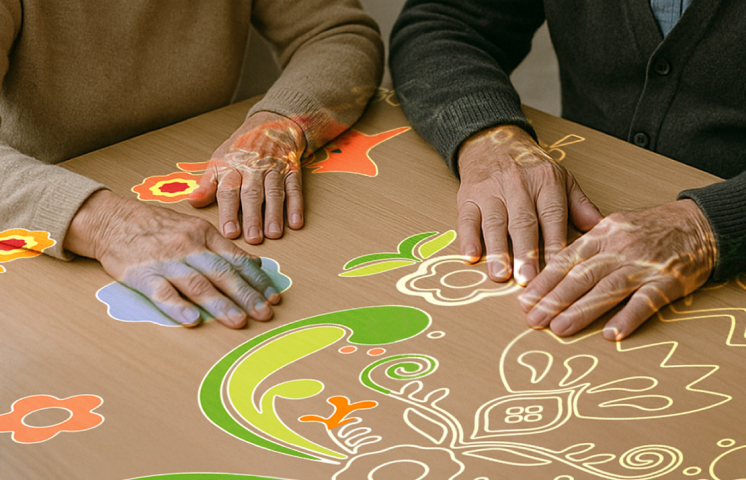
Cognitive stimulation
Memory games, pattern matching, attention exercises and visual puzzles designed for older adults.
15+ appsMotor & sensory
Gentle hand-tracking activities that support fine motor skills, hand–eye coordination and sensory engagement.
10+ appsSocial & entertainment
Group games, music-based activities and calming environments that encourage interaction and shared joy.
7+ appsWhat's included?
Motioncube Player
Software for configuring and running interactive projections.
Demo License
For internal demos and client presentations.
White-label option
Add your brand to the software interface.
Mobile app
Allows users to control the device from their phone or tablet.
Technical & marketing support
Technical documentation, direct contact with the Motioncube support team, and starter marketing assets for Magic Table games.
How to build a senior activity table
Mount a projector and camera above the tabletop, connect them to a mini PC running Motioncube Player and calibrate the projected area. Residents play together directly on the table, using their hands.
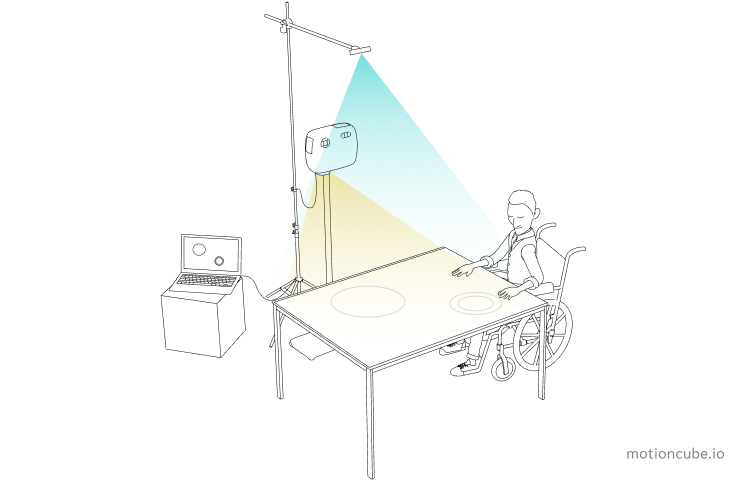
Projector + Camera + Mini PC → Tabletop → Residents interact with their hands
Mount hardware
Install the projector and camera above the tabletop on a ceiling mount or a mobile stand — at least 1 m (39 inches) above the surface.
Connect & install
Connect both devices to a mini PC running Windows 11. Install Motioncube Player and activate your licences.
Calibrate
Calibrate the projection to the tabletop. Any surface works, from white to brown — just avoid direct sunlight in the projection area.
Activate & play
Launch the collections prepared for elderly care. Residents play together using hand movements on the table.
Step-by-step setup
Short throw projector on a tripod · Orbbec Astra 2 on a tripod · regular table · mini PC with Windows · Motioncube Player (Beam)
Short throw projector on a tripod · Orbbec Astra 2 on a tripod · table or floor surface · mini PC with Windows · Motioncube Player (Beam)
Technical specification
What you need to source and how to install it — hardware, mounting conditions and licensing.
| Projector | Resolution 1280×800 or 1024×768. Brightness 3800 lm, depending on installation conditions. |
| Camera | 3D camera e.g. Orbbec Astra 2 or 2D camera and IR illuminator. |
| Computer | Windows 11, Intel i3, 8 GB RAM, SSD 256 GB or compatible mini PC with USB and HDMI ports. |
| Mounting system | Ceiling mount or mobile stand. |
| Mounting scheme | Projector and camera are placed above the projection surface (above the table) and connected to the computer. |
| Mounting height | It depends on hardware setup and camera capabilities. Minimum 1 m (39 inches) above the tabletop for the projector. |
| Usage conditions | Use apps on any tabletop, from white to brown coloured tables, avoid direct sunlight in the projection area. |
| Tabletop size | It depends on the resolution and mounting height of the projector. Add additional margin approx. 5 cm (2 inches). |
| License type | Single-station, perpetual. |
| Single installations | Are you delivering a single project and need a license for one installation? Simply purchase the required product directly from the Motioncube Store at full price. |
| Multiple deployments | Are you planning multiple deployments and need licenses for several installations? Take advantage of our integrator offer. After ordering the first five licenses, you will receive an additional presentation license free of charge, intended for use on a demo or showroom setup. |
| Additional revenue | Commission from the sale of additional content. Offer your clients extra Motioncube applications, which you can settle with us at a discounted price compared to the store price. More details are available in the integrator cooperation terms. |
Choose the right option for your project
Building a single installation? Buy individual apps from our store. Planning repeatable deployments? Choose an Integrator Pack with volume pricing and ready‑to‑deploy bundles.
Single installation
Purchase individual applications from our store — ideal for one-off projects or custom setups.
- Buy exactly what you need
- Retail pricing, no minimum order
- Perpetual licence per workstation
- Motioncube Player included free

Hardware not included — source your own or work with a partner for turnkey installation.
Manage Consents
Control which external services can process your data.
Essential Required
These features are essential for the proper functioning of the website and cannot be disabled.
Anonymous Analytics Required
Required for collecting aggregated statistics that help us understand how users interact with our site. Data is fully anonymous, contains no personal information, and we do not use cookies.
Extended Analytics
Allows analyzing traffic sources (where you came from), marketing campaign parameters (UTM), and navigation paths across subdomains. We use a cookie (7 days) to preserve this data.
External Media
Allows loading content from external services like YouTube or Vimeo.
