Remedial Teaching Interactive Floor
Add a therapy-focused interactive floor to your portfolio – designed for corrective, compensatory and remedial teaching. Movement-based exercises help children with special educational needs develop perception, motor skills and cognitive abilities. We provide ready-to-deploy therapeutic software, technical support and marketing assets.
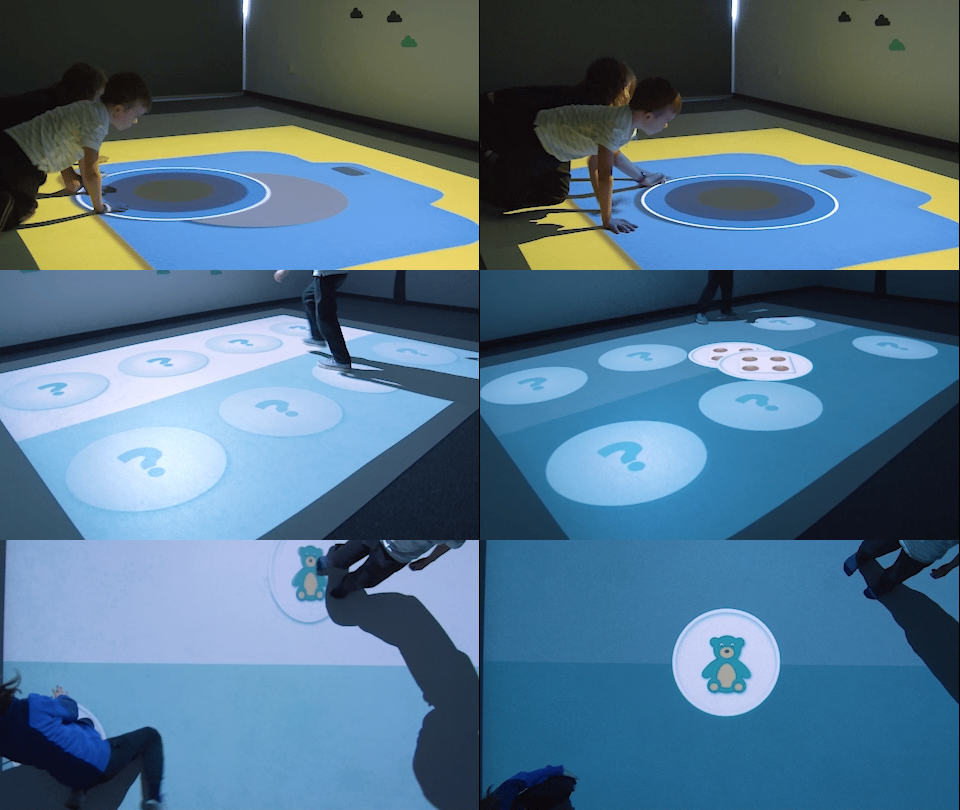
Therapy & remedial focus
Corrective and compensatory exercises
Body motion control
Walk, jump, step — the floor reacts
Adjustable difficulty
Adapt exercises to individual needs
Individual & group work
Flexible for one child, pairs or teams
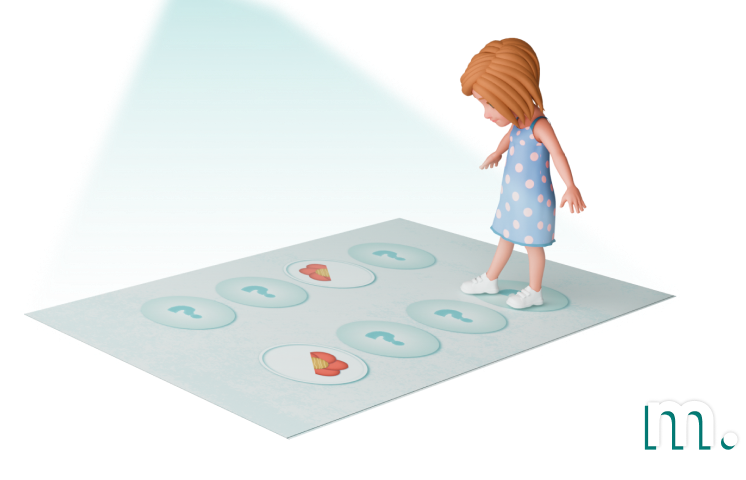
Deployment Location
Therapeutic and rehabilitation centres, sensory integration rooms, special education schools, psychological and pedagogical counselling centres, educational facilities for children with disabilities, hospital rehabilitation wards.
Target User Group
Children with special educational needs, including moderate and severe intellectual disabilities. Children requiring corrective-compensatory and remedial teaching activities. Therapists, special education teachers and psychologists guiding the exercises.
Use Scenarios
Remedial and corrective-compensatory classes, visual and auditory perception training, motor skills and hand-eye coordination exercises, social activation through group play, cognitive stimulation and concentration training, development of independence and initiative.
Interaction Method
Body motion: children walk, jump and step on the projected surface. The camera detects movement and the exercises react in real time. No reading or counting ability required — the child interacts through natural body movement.
Interaction Surface
Floor with projected image. Standard interactive floor setup with projector and camera mounted above.
Therapy through movement and interaction
The interactive floor engages multiple senses simultaneously — sight, hearing and the whole body. Corrective and compensatory exercises are delivered through physical activity, which naturally stimulates development and helps children with special needs bridge developmental gaps in a safe, motivating environment.

Visual perception
Contrasting colours, simple shapes and familiar objects stimulate visual analysis and synthesis.

Sound & hearing
Accompanying sound effects reinforce auditory perception and make exercises more engaging.

Motor skills
Movement-based exercises develop gross motor skills, coordination and spatial orientation.

Motivation
Gratification after completing each exercise builds self-confidence and encourages initiative.

Individual exercises
Self-paced tasks adapted to the child’s ability level and therapeutic goals.

Exercises in pairs
Collaborative tasks that develop communication and social interaction skills.

Team play
Group exercises for social activation and building cooperation skills.
Software designed for remedial and therapeutic work
The integrator packs include collections of interactive exercises specifically suited to corrective-compensatory and remedial classes. The applications stimulate visual perception, logical thinking and motor skills — all consistent with recommendations for revalidation software.

Happy Stones
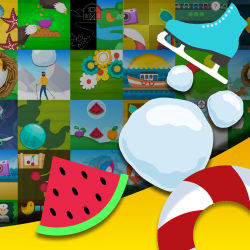
16 interactive games and physical exercises designed for remedial and corrective-compensatory classes. They stimulate visual perception, logical and abstract thinking, and develop motor skills and hand-eye coordination. Developed in collaboration with a psychologist.
- 16 apps, 400+ exercises, 3 difficulty levels
- No reading or counting required
- Conforms to revalidation recommendations
- PDF guide with tips for therapists
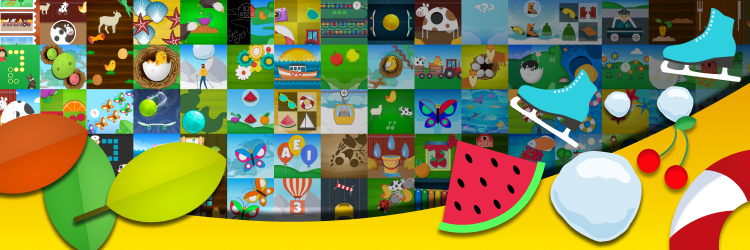
Four Seasons
Over 100 interactive games and activities themed around the seasons. Puzzles, memory games, races and sorting tasks develop gross motor skills, coordination, visual perception and concentration. Can be used during rehabilitation and educational activities.
- 105 games, ages 3+
- Suitable for rehabilitation activities
- Ready playlists for each season
- Core Curriculum aligned
Luminous Planet In Trouble
16 interactive applications that develop logical and algorithmic thinking, concentration, memory and spatial orientation. Children solve visual tasks through body movement — sequencing, pattern recognition and classification exercises suitable for corrective and compensatory classes.
- 16 apps, motion interaction
- Concentration and memory training
- Suitable for remedial classes
- Lesson plans available for teachers
How body motion interaction works
A camera mounted above the floor detects movement in the projection area. Therapeutic exercises react in real time — no controllers, no touch screens. The child interacts through natural body movement, making every session intuitive and accessible.

Hitting / Touching
Step on, stomp or tap projected objects to trigger effects and score points.

Pushing
Move projected elements around the floor by walking through them or pushing with your feet.

Revealing
Uncover hidden images, patterns or objects by walking across the projected surface.

Pulling
Drag and pull virtual objects to target zones using your movement direction.

Active support for the child’s development
The interactive exercises are designed to help children with special educational needs bridge developmental gaps and build essential skills. Working with therapeutic applications on the floor, children develop:
Shapes, colours, pattern matching and visual analysis
Sound recognition, rhythm games and audio cues
Gross motor skills and hand-eye coordination
Short-term memory, perceptiveness and focus
Body awareness and navigation on the floor
Classification, sequencing and cause-and-effect
Social interaction, cooperation and fair play
Encouraging action, creativity and problem-solving
Imagination, analogy and creative reasoning
Joy, satisfaction and building self-confidence
Designed for special educational needs
Motioncube revalidation applications share key characteristics that make them particularly suitable for therapy and remedial teaching with children who have diverse abilities and needs.
Adjustable difficulty
Select the exercise complexity level to match the child’s individual abilities and therapeutic goals.

Clear, contrasting graphics
Simple shapes, vivid colours and familiar everyday objects that are easy to identify and process visually.

Exercises in motion
Physical activity with accompanying sounds enriches the sensory experience and keeps children engaged.

Support materials
PDF guides with exercise descriptions and tips for therapists and teachers. Ready to use from day one.

Everyday objects
Illustrations feature objects children know from daily life, helping them connect exercises with real-world experience.

Positive reinforcement
Gratification after completing each game builds motivation and a sense of achievement, key for therapeutic progress.
How to build a remedial teaching interactive floor
Mount a projector and camera above the floor, connect them to a mini PC running Motioncube Player, and the system calibrates automatically for body motion detection. No complex setup — therapists can start using it on day one.
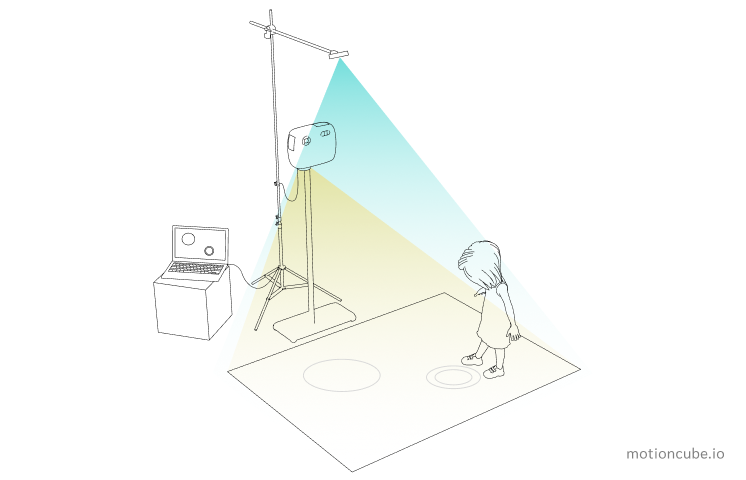
Projector + Camera + Mini PC → Floor surface → Children interact through body movement
Mount hardware
Install the projector and camera above the floor area using a ceiling or wall mount.
Connect & install
Connect both devices to a mini PC. Install Motioncube Player and activate the applications.
Calibrate
Motioncube Player auto-calibrates the projection area for precise motion detection on the floor.
Start therapy
Launch the therapeutic collections. Children step on the floor and exercises respond to their movement instantly.
Step-by-step setup
Two setup paths for the therapy room: motion detection with a depth sensor, or a LiDAR sensor that turns the projected surface into a precise touch area.
Motion floor — Orbbec Astra 2 calibration
Motioncube Player (Beam) · Orbbec Astra 2 depth sensor · projector · two tripods
Touch floor with a LiDAR sensor
LiDAR sensor · detection zone · calibration to the projected image · latency tuning · sample app test
See it in use
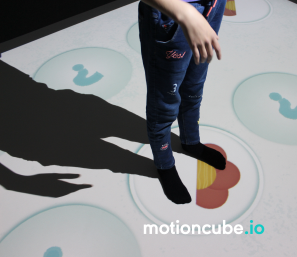
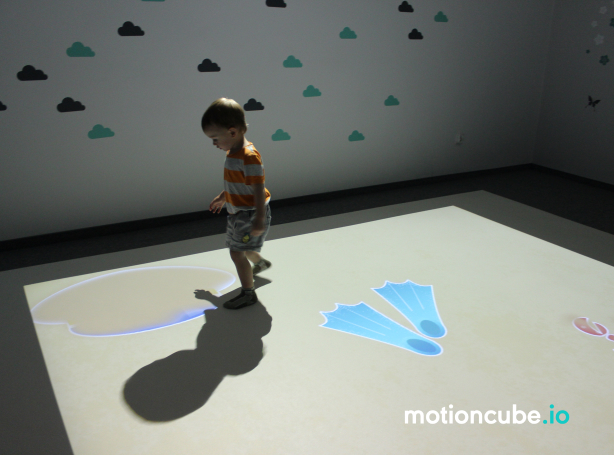
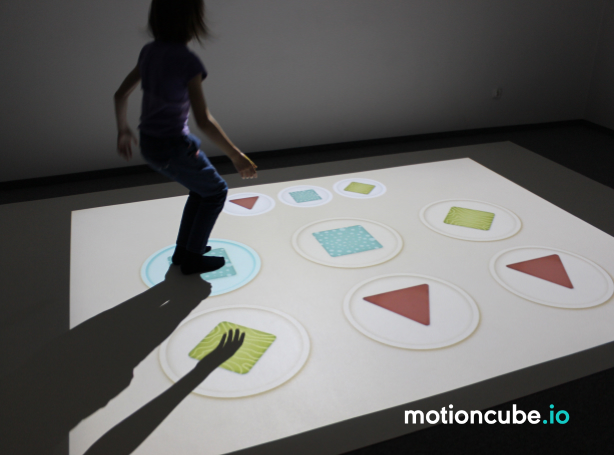
Real installations. Click any photo to enlarge.
What's included?
Motioncube Player
Software for configuring and running interactive projections. Supports body motion detection and IR pen interaction.
Remedial & developmental exercises
Collections of corrective, compensatory and developmental games — designed for therapy and special educational needs, responding to body movement.
Demo License
For internal demos and client presentations.
White-label option
Add your brand to the software interface.
Therapist’s resources
PDF application guides with exercise descriptions, tips for therapists and inspiration for remedial class scenarios.
Technical & marketing support
Technical documentation, direct contact with the Motioncube support team, and starter marketing assets.
Technical specification
What you need to source and how to install it — hardware, mounting conditions and licensing.
| Projector | Short-throw or ultra-short-throw projector. Resolution 1280×800 or higher. Brightness 3500–4000 lm depending on ambient light. |
| Camera | 3D camera (e.g. Orbbec Astra 2) for body motion detection. Mounted above the floor projection area. |
| Computer | Windows 11, Intel i3, 8 GB RAM, SSD 256 GB. No network connection required for gameplay. |
| Mounting system | Ceiling or wall mount for projector and camera above the floor area. |
| IR pen (optional) | For therapists to launch and navigate apps from the floor surface. Not required for gameplay. |
| Software version | Motioncube Player 2.7.4 or newer. |
| Mounting scheme | Projector and camera are mounted above the floor area (ceiling or wall bracket) and connected to the mini PC. |
| Mounting height | Minimum 2.5 m (8 ft) above the floor for the projector. Depends on throw ratio and desired projection size. |
| Usage conditions | Flat, light-coloured floor surface. Reduced ambient light recommended for best image quality. Ensure the area is clear of obstacles for safe movement. |
| Projection size | Typically 2×1.5 m to 3×2 m depending on projector and mounting height. |
| Safety | The floor surface should be non-slip. Children exercise under supervision of a therapist or carer. Applications are designed for safe, accessible movement at all ability levels. |
| License type | Single-station, perpetual. |
| Single installations | Are you delivering a single project and need a license for one installation? Simply purchase the required collections directly from the Motioncube Store at full price. |
| Multiple deployments | Are you planning multiple deployments and need licenses for several installations? Take advantage of our integrator offer. After ordering the first five licenses, you will receive an additional presentation license free of charge, intended for use on a demo or showroom setup. |
| Additional revenue | Commission from the sale of additional content. Offer your clients extra Motioncube applications, which you can settle with us at a discounted price compared to the store price. More details are available in the integrator cooperation terms. |
Choose the right option for your project
Building a single installation? Buy individual collections from our store. Planning repeatable deployments? Choose an Integrator Pack with volume pricing and ready‑to‑deploy bundles. Two variants are available — a starter pack and a comprehensive therapy solution.
Single installation
Purchase individual therapeutic collections from our store — ideal for one-off projects or custom setups.
- Buy exactly what you need
- Retail pricing, no minimum order
- Perpetual licence per workstation
- Motioncube Player included free
- Combine collections freely


Hardware not included — source your own or work with a partner for turnkey installation.
Manage Consents
Control which external services can process your data.
Essential Required
These features are essential for the proper functioning of the website and cannot be disabled.
Anonymous Analytics Required
Required for collecting aggregated statistics that help us understand how users interact with our site. Data is fully anonymous, contains no personal information, and we do not use cookies.
Extended Analytics
Allows analyzing traffic sources (where you came from), marketing campaign parameters (UTM), and navigation paths across subdomains. We use a cookie (7 days) to preserve this data.
External Media
Allows loading content from external services like YouTube or Vimeo.
