Build and run interactive devices
Download Motioncube
Deliver tabletop experiences for elderly care facilities
Check Elderly Care Pack
Ready apps for education, fun and therapy support
Browse the App Library
Design custom interactive experiences
Explore Templates
What can you build?
Explore ready-to-build interactive solutions. Each includes detailed setup guides, recommended hardware and a curated library of apps.


See Motioncube in Action
Watch this short video showcasing the essence of Motioncube’s offerings and the magic you can create with it!
All the Building Blocks You Need
Everything you need to easily create engaging and fully functional interactive installations from a software perspective
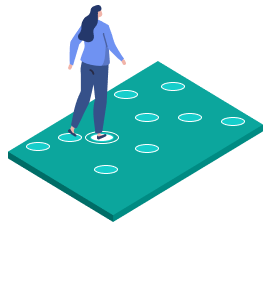
Interactive Software
Motioncube Player includes all the features you need to setup the interactive projections, including the end-user interface.
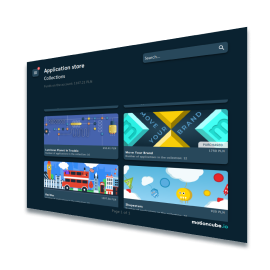
Ready Games
Compose your device's app library by choosing from game collections. Over 560 professional games for various occasions.
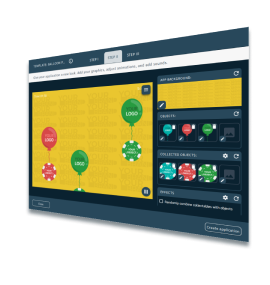
Game Templates
Make interactive games and presentations from templates. Customize apps for your needs.
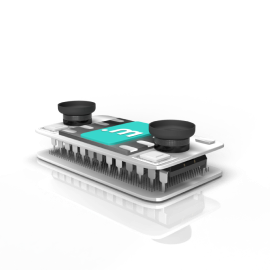
Supported Devices
Wide selection of cameras for your setup. Different cameras support different interaction techniques.
6 Key Benefits for Integrators
Discover how Motioncube can transform your interactive projects:
-
More Than an Interactive Floor
Motioncube enables you to create various interactive installations—floors, walls, and tables. You can even combine multiple types in a single solution. Yes, our software supports that!
-
Motion Response Is Just the Beginning
As the first solution on the market, Motioncube lets you activate several interaction modes on one surface—especially motion tracking and IR light pens. And that’s not all.
-
A Rich Library of Games for Every Occasion
Access over 560 high-quality games designed primarily for educational use and therapeutic support for children and adults. Each game is organised into themed collections, making it easy to find just what you need.
-
One-Time Payment Model
Pay once and use it for as long as you want. You can also opt for temporary access if that better suits your needs.
-
End-User Interface by Default
Enjoy an intuitive and simple menu that allows users to easily launch games and playlists, all controlled via a mobile app or a remote control.
-
A Platform Ready for Off-the-Shelf Devices
We provide features that automate software installation, configuration, and content distribution—streamlining your entire setup process.
Motioncube Development Platforms
We don’t lock you into a single hardware option—Motioncube supports a wide range of configurations,
so you can choose exactly what your project needs.
Interactive projection
- Windows 10/11
Motioncube + Depth Sensor
Use one of the popular 3D cameras with a standard-throw projector (1.1 throw ratio recommended). It’s the fastest way to create a motion-responsive interactive installation. Recommended cameras: Orbbec Astra 2 (recommended) Intel RealSense D435f MS Kinect v2Interactive projection
- Windows 10/11
- Ubuntu 24.04
Motioncube + Infrared Cameras
Use a 2D IR camera with applicable projector (short, standard or ultra short throw). The camera or illuminator may require additional modifications to function effectively in daylight. Example cameras: CCTV USB camera board with IR illuminatorInteractive projection
- Windows 10/11
- Ubuntu 24.04
Motioncube + Your Hardware Stack
Have your own camera module or an integrated device? Contact us to explore how we can support your platform. Camera: Your image capturing systemPC & Touch devices
- Windows 10/11
- Ubuntu 24.04
Motioncube + Touch devices
Motioncube natively supports touch screens. If you are looking for multimedia software for your touch devices, see what we offer.Quick start guide
How to start your interactive project?
Have a question? We’re here to help!
We'd love to hear from you if you have any questions or comments about device support. Please complete the form below.
Manage Consents
Control which external services can process your data.
Essential Required
These features are essential for the proper functioning of the website and cannot be disabled.
Anonymous Analytics Required
Required for collecting aggregated statistics that help us understand how users interact with our site. Data is fully anonymous, contains no personal information, and we do not use cookies.
Extended Analytics
Allows analyzing traffic sources (where you came from), marketing campaign parameters (UTM), and navigation paths across subdomains. We use a cookie (7 days) to preserve this data.
External Media
Allows loading content from external services like YouTube or Vimeo.
