Content Platform Extension
Extend your interactive floor or table deployment with a content creation platform. Build up to 1,000 exclusive applications for your devices, let your end users create their own, and develop a product with genuinely unique content that sets you apart from every other integrator.
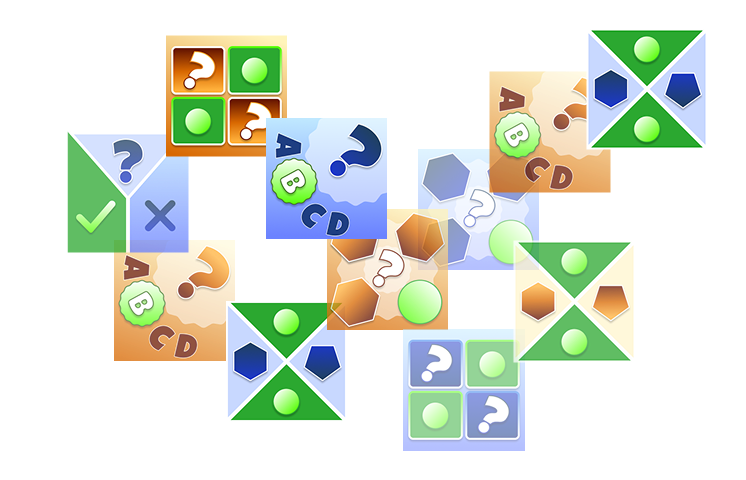
Browser-based editor
Create apps directly in the browser
Exclusive content
Up to 1,000 private apps
User-generated content
End users create & share apps
Open export
No vendor lock-in
Why add the Content Platform?
Standard integrator packs include a curated set of applications. The Content Platform extends your deployment with tools to create, manage and distribute your own content — giving you and your end users full control over what runs on your devices.
Exclusive content
Create up to 1,000 applications visible only on the devices you distribute. Your content, your competitive edge — no other integrator can access or replicate it.
User-generated content
Your end users can create their own applications using the browser-based editor. Their creations feed into the community database, enriching the content library across all your deployments.
No vendor lock-in
Export your application configurations in an open format at any time. Your content investment is portable and fully under your control.
How the Content Platform works
You create applications in a browser-based editor using professional templates. Your apps are automatically deployed to all linked devices. End users can also create their own content, which joins the shared community database.
Two levels of content creation
You set the direction. Users contribute.
Up to 1,000 exclusive applications for your devices — plus unlimited community apps created by end users
As an integrator, you design branded applications using the full template library. These apps appear exclusively on the devices you distribute — they are not visible to other integrators or their customers.
Your end users access the same browser-based editor to create quizzes, memory games, and other interactive content tailored to their own needs. User-created apps are added to the community database and available across your device fleet.
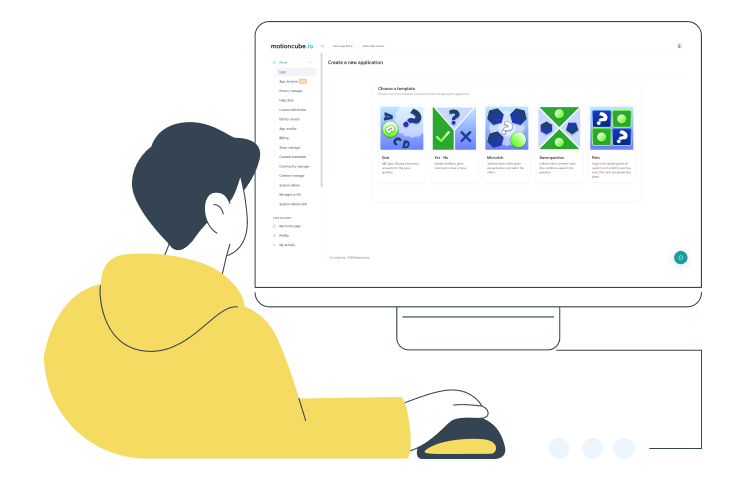
Professional app templates
Each template is optimised for interactive surfaces — floor, wall and table. Select a template, enter your content in the browser, and deploy to devices instantly. No coding, no installations.
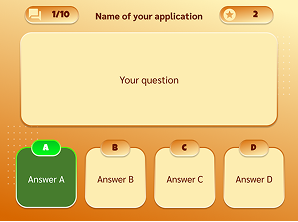
Classic ABC Quiz
Multiple-choice questions with customisable number and order of answers. Ideal for educational sessions, brand awareness, and team-building events.
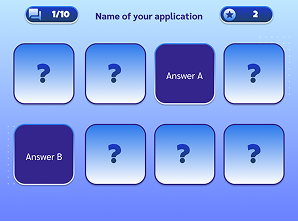
Pairs – Memory Games
Match two related cards. Create memory games for any topic and age group — vocabulary, images, subject associations.
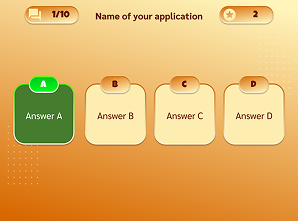
Mismatch Game
Identify the odd one out from a set of cards. Develops observation and categorisation skills, suitable for education and therapy.
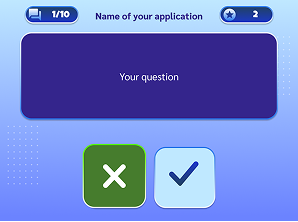
True or False
Statement-based challenges. Create thematic, personal, or educational true/false games in any language.
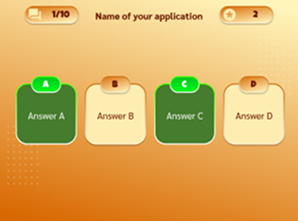
Same Question
Define one global question and multiple answer sets. Players select the matching answers from the displayed options.
You can propose new template types. We review suggestions from integrators and prioritise based on demand.
What's included in the Extension Pack?
Browser-based App Editor
Create interactive applications directly in the browser — no software to install. Select a template, enter your content, save and deploy.
Five professional templates
Quiz, memory pairs, mismatch, true/false, and same-question — each available in two visual themes. Optimised for interactive surfaces.
Up to 1,000 exclusive apps
Create applications visible only on the devices you distribute. Build a content library that is uniquely yours — competitors cannot access or duplicate it.
Community app database
Full access to all applications created by Motioncube users worldwide. Your end users' creations also join this shared library, expanding the content available on every device.
Open export format
Export your application configurations at any time in an open, documented format. No vendor lock-in — your content investment stays with you.
Template development input
Propose new template types directly to the Motioncube team. We review integrator suggestions and prioritise development based on demand and feasibility.
Technical specification
What you need to source and how to install it — hardware, mounting conditions and licensing.
| Editor access | Log in to your Motioncube online account and navigate to the Community tab. The editor runs entirely in the browser — no local software required. |
| App creation workflow | Select a template, enter your questions, answers or card pairs, choose a visual theme, and save. The application is immediately available for download on your devices. |
| Content language | Apps can be created in any language. The editor does not impose language restrictions — you define all text content yourself. |
| Exclusive vs. community | Apps you create as an integrator are exclusive to your device fleet. Apps your end users create through the community editor are shared in the public community database. |
| Deployment | Created apps appear automatically in the Community Apps section of Motioncube Player on all linked devices. The device requires an internet connection to sync new content. |
| Base requirement | The Content Platform Extension Pack requires an active integrator set — either the Interactive Floor Pack or the Magic Table Pack. |
| Supported surfaces | Community apps and your exclusive apps run on all surfaces supported by your base pack: floor, wall, and/or table projection. |
| Internet for sync | Devices need an internet connection to download new or updated apps. Once synced, all content runs fully offline. |
| Editor requirements | Any modern web browser (Chrome, Firefox, Edge, Safari). No plugins or local installation needed. |
| Content ownership | All exclusive applications you create remain your intellectual property. You define the content; we provide the runtime and distribution infrastructure. |
| Export format | Application configurations can be exported in an open, documented format. This ensures your content investment is not locked to the Motioncube platform. |
| Community apps | Apps created by your end users through the community editor are shared publicly. As with all community content, these remain accessible across the Motioncube ecosystem. |
Frequently Asked Questions
Common questions about the Content Platform Extension Pack
Get the Content Platform Extension
The Content Platform Extension Pack is available as an add-on to Interactive Floor and Magic Table integrator packs. Visit the store to see pricing and purchase options.
Content Platform Extension
Browser-based app editor, 5 templates, up to 1,000 exclusive apps, community database access and open export.
- Browser-based app editor
- 5 professional templates
- Up to 1,000 exclusive apps
- Community app database access
- Open export format
- No vendor lock-in
Requires an active integrator base set — Interactive Floor Pack or Magic Table Pack.
Manage Consents
Control which external services can process your data.
Essential Required
These features are essential for the proper functioning of the website and cannot be disabled.
Anonymous Analytics Required
Required for collecting aggregated statistics that help us understand how users interact with our site. Data is fully anonymous, contains no personal information, and we do not use cookies.
Extended Analytics
Allows analyzing traffic sources (where you came from), marketing campaign parameters (UTM), and navigation paths across subdomains. We use a cookie (7 days) to preserve this data.
External Media
Allows loading content from external services like YouTube or Vimeo.
